
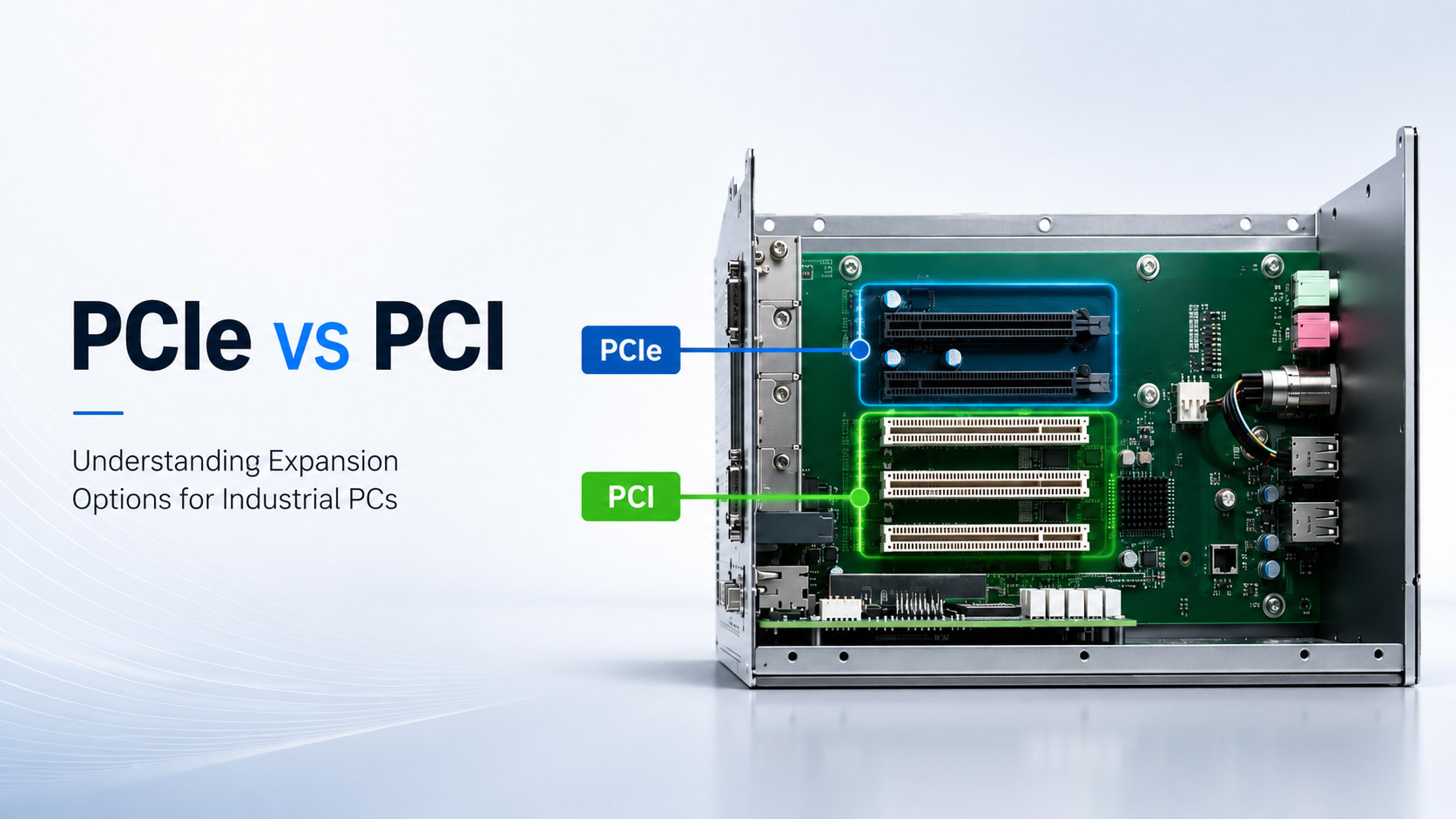
The PCIe slot on an industrial box PC is the single most important constraint when the application depends on a specific add-on card: a frame grabber, a 10GigE NIC, a wireless module, a motion-control card, or a GPU accelerator. The CPU, RAM, and storage are secondary to whether the slot is the right size, lane width, generation, and electrical environment for the card.
Start from the card. Confirm its physical form factor (x1, x4, x16, Mini PCIe, M.2), its electrical lane width, its power budget, and whether it needs a fan or can survive a fanless chassis. Then match it to a BITECH host that has the slot, the thermal headroom, and the industrial lifecycle to match your deployment.
Why the PCIe slot still decides the host
Industrial applications are not generic compute. A machine-vision station needs a frame grabber. A vehicle fleet gateway needs a 5G modem. A motion-control cabinet needs an old PCI card. A 3D-inspection line needs a GPU. Each of these is a physical card with a physical connector, and the host must expose exactly the right slot for it.
The wrong slot is not a performance problem — it is a hard stop. A x16 card will not fit a x1 slot. A Mini PCIe 5G module will not fit a standard PCIe slot. A 25W card in a fanless chassis will overheat. Selecting the host before the card is the fastest way to end up with a box that cannot do the job.
The lane-and-speed language
PCIe describes both the connector size and the number of electrical lanes. The two are not always the same. A long x16 slot may only wire x4 lanes; a short x4 slot may accept a x16 card physically if the end is open. Ask the vendor for the exact wired lanes, not just the slot length.
Per-lane speed by generation
- PCIe 3.0 x1 — 1GB/s
- PCIe 3.0 x4 — 4GB/s
- PCIe 4.0 x1 — 2GB/s
- PCIe 4.0 x4 — 8GB/s
What each lane width usually carries
- x1 — WiFi, LTE, CAN, low-bandwidth I/O
- x4 — Frame grabbers, 10GigE NICs, NVMe adapters
- x8 / x16 — GPUs, high-end frame grabbers, FPGA cards
BITECH industrial box PCs are typically built around PCIe 3.0 x1 or x4 slots, with Mini PCIe / M.2 for wireless and small modules. High-end GPU compute is handled by dedicated MXM designs rather than standard PCIe x16 slots because a fanless chassis cannot reliably cool a full desktop GPU.
Card formats and slot mechanics
Standard PCIe add-on cards (x1, x4, x8, x16)
Full-height or half-height cards with a metal bracket. The bracket length and the number of gold fingers define the lane width. The host must have both the physical slot and the wired lanes.
Mini PCIe (mPCIe)
Compact slot used for WiFi, LTE, 4G/5G modems, small CAN modules, and low-power NVMe via adapter. It carries one PCIe x1 lane plus USB and SIM signals. Common on compact and fanless embedded systems.
M.2 (NGFF)
Replaced Mini PCIe in many newer designs. M.2 supports PCIe x1/x2/x4, SATA, and USB depending on keying (B-key, M-key, E-key). Verify the exact key and supported interfaces before buying a module.
Legacy PCI (32-bit / 33 MHz)
Older 5V or 3.3V parallel-bus cards. Modern chipsets no longer support PCI natively, so the slot is produced by a PCIe-to-PCI bridge. See the Legacy PCI Selection Guide for the compatibility details that matter.
MXM GPU modules
Not a standard PCIe slot — a mobile GPU mezzanine for embedded systems. Used in BITECH’s AE-760EBT to deliver RTX-class GPU compute inside a rugged industrial chassis without a full desktop card.
Selection matrix: card → host
| Card you are adding | What the host must provide | BITECH starting point |
|---|---|---|
| Frame grabber / 10GigE NIC / GPU | High bandwidth, electrical x4 or x8 | AX-520EBT (1× PCIe x4) or AX-660EBT (2× PCIe x4) |
| Legacy motion / DAQ / Profibus PCI card | Native PCI + maybe one PCIe lane | AX-422HBT (1× PCI + 1× PCIe x1) or AX-530EBT (3× PCI + 1× PCIe x4) |
| WiFi / LTE / 5G / CAN module | M.2 or Mini PCIe, low power | AX-320BT (1× PCIe x1 + 2× Mini PCIe) or AX-234BT (2× Mini PCIe) |
| Compact control with single add-on card | One slot, low cost, small chassis | AX-134BT (1× Mini PCIe) or AX-320BT (1× PCIe x1) |
| Multi-axis motion, multi-camera AOI | Several slots + high I/O count | AX-530EBT (3× PCI + 1× PCIe x4) or AX-660EBT (2× PCIe x4 + rich I/O) |
The matrix is a starting point, not the final answer. Always confirm card width, power, and thermal behavior against the host. If you are not sure, send us the card model and we will validate the fit before you commit.
Match the card to a BITECH host
AX-134BT
1× Mini PCIe
Compact entry point for one wireless or CAN module. Best when the application is mostly control and needs a single small add-on card.
AX-234BT
2× Mini PCIe
Small chassis with two Mini PCIe slots for WiFi + LTE combinations, or dual small fieldbus modules. Vehicle and mobile gateway favorite.
AX-320BT
1× PCIe x1 + 2× Mini PCIe
Flexible expansion: one standard PCIe x1 card plus two Mini PCIe modules. Good for a frame grabber or NIC plus wireless.
AX-520EBT
1× PCIe x4
Core i3 fanless host with a real PCIe x4 slot for frame grabbers, 10GigE NICs, or GPU accelerators that fit a x4 bandwidth envelope.
AX-530EBT
3× PCI + 1× PCIe x4
Multi-slot legacy bridge for motion control, DAQ, and fieldbus cards. The right choice when you have several PCI cards and one modern PCIe card to integrate.
AX-422HBT
1× PCI + 1× PCIe x1
Legacy PCI migration with a small PCIe x1 lane for a modern add-on. Compact bridge for old control cards.
AX-660EBT
2× PCIe x4
Core i7 high-performance host with two PCIe x4 slots and rich I/O. Built for multi-camera AOI, multi-card test systems, and high-throughput interfaces.
AE-760EBT
Core i9 + RTX MXM GPU
For GPU-heavy inference that needs RTX-class compute. MXM form factor, not a standard PCIe slot, but built to handle the same industrial workloads.
FAQ
Q: Can I plug a PCIe x16 graphics card into a x4 slot?
A: Physically, a x16 card will not fit into a x4 slot unless the slot is open-ended or the card is x16/x4-wired. Electrically, a x16 card that only uses x4 lanes will negotiate down to x4. A GPU intended for x16 bandwidth will be severely constrained. For GPU-heavy work, choose the AE-760EBT which is designed around an RTX MXM module.
Q: Mini PCIe and M.2 — are they the same as PCIe?
A: Mini PCIe is the older mPCIe form factor and usually runs one PCIe x1 lane plus USB/SIM. M.2 is the newer, narrower form factor and can carry PCIe x1/x2/x4 lanes, SATA, or USB. Check the exact keying and supported interfaces on the host board before ordering a module.
Q: Why do industrial PCs rarely have more than one PCIe x16 slot?
A: Fanless wide-temperature chassis cannot dissipate the heat of a full desktop GPU, and the CPU platform may not have enough free lanes. Industrial hosts are designed for one or two specific add-on cards, not a consumer GPU-and-gaming configuration. High-end GPU compute is handled by dedicated MXM or GPU-box designs.
Q: Does a PCIe 4.0 card work in a PCIe 3.0 slot?
A: Yes — PCIe is backward and forward compatible. A PCIe 4.0 card in a PCIe 3.0 slot will train at PCIe 3.0 speed, giving roughly half the bandwidth. The card will still enumerate and run, which is the compatibility that matters most in industrial applications.
Q: What is the most common mistake when selecting a PCIe industrial PC?
A: Looking at the CPU first and the slot second. The card you need to preserve is the real constraint. Start with the card’s form factor, lane width, power, and driver, then find the host that matches it.
The part the spec sheet doesn’t tell you
A PCIe slot on an industrial PC is not just a connector — it is a thermal, electrical, and mechanical commitment. The card must fit, the lanes must match, the power must be available, and the chassis must be able to move the heat.
- Start with the card, not the CPU. The card is the non-negotiable constraint; the host is chosen around it.
- Confirm wired lanes, not just slot length. A x16-looking slot may only carry x4 electrical lanes.
- Power and thermal are the hidden gatekeepers. High-bandwidth cards need airflow or a heatsink path; fanless hosts need to be matched to cards that fit the thermal envelope.
- Lifecycle matters as much as compatibility. An industrial host should stay available for the life of the machine it controls, not just until the next consumer chipset refresh.