
Local LLM vs Cloud AI: When Does Edge Inference Make Sense?
Placement is a spectrum, not a binary — decide which part of the workload runs locally, which part belongs in the cloud, and what changes when the demo becomes production.
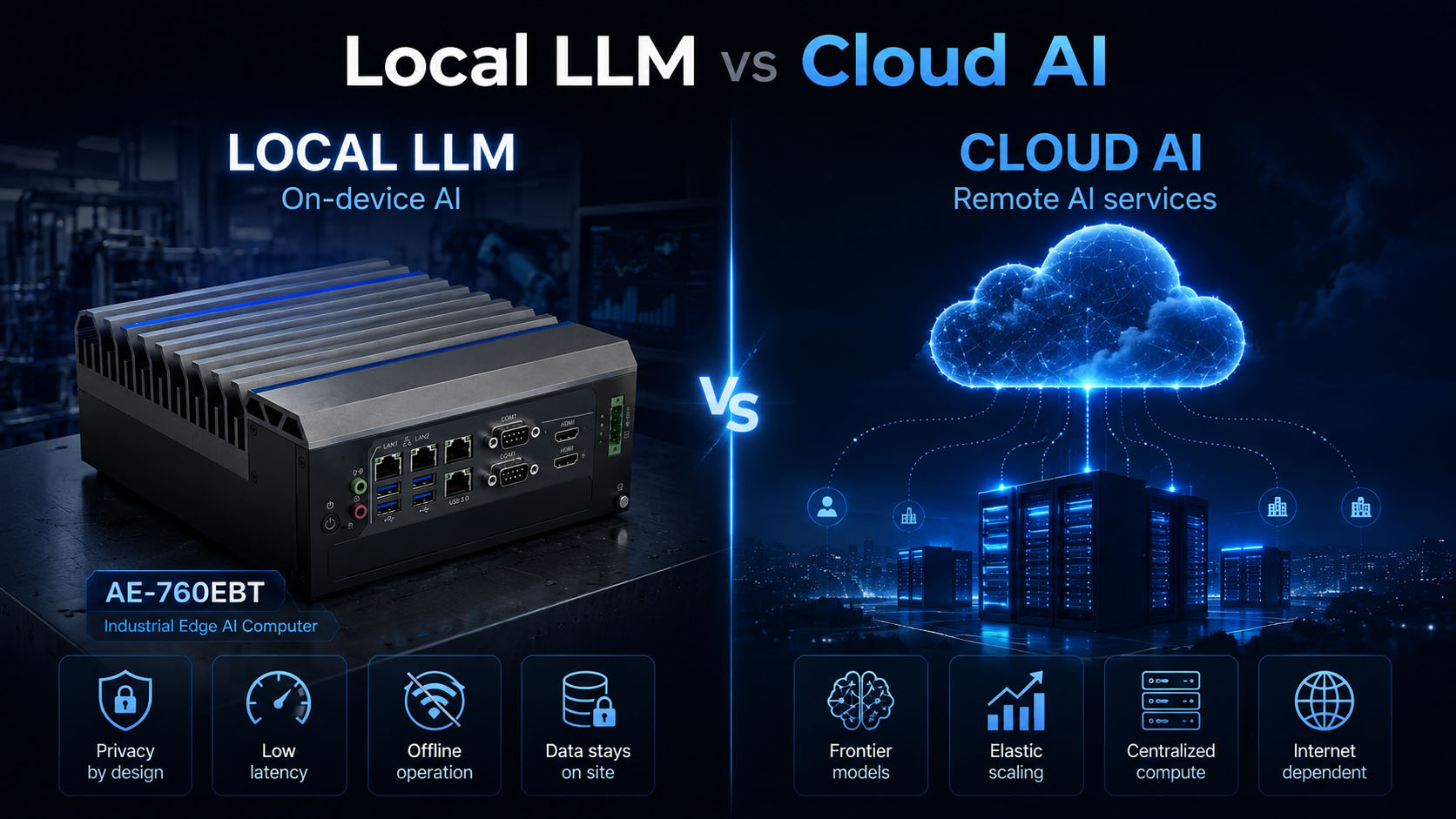
Local or cloud is the wrong question — which part of the workload runs where is the right one.
Table of Contents
“Local AI or cloud AI?” forces a yes/no answer onto a set of engineering trade-offs. There are three architectures to weigh, not two: cloud AI on centralized infrastructure, local (edge) AI on on-site hardware, and hybrid AI that keeps sensitive, repetitive or latency-critical work local and escalates only selected tasks to cloud models. None is universally best — and cloud AI is not becoming obsolete.
Edge inference makes sense when data location, latency, bandwidth, offline operation, sustained utilization, or physical integration matter enough to justify owning and maintaining the compute.
This guide is a decision framework for that call, not a generic pros-and-cons list — drawn from the places people actually run these systems: r/LocalLLM, Level1Techs, the NVIDIA developer forums, the Intel community.
1. “Local = private, cloud = fast” is the wrong starting frame
Local systems can be insecure; cloud models can be fast and private under the right contract; and plenty of workloads want a mix. Placement is a spectrum, not a binary.
| Architecture | Where AI runs | Typical strength |
|---|---|---|
| Cloud AI | Centralized cloud infrastructure | Frontier models, elastic scaling, low local maintenance |
| Local / Edge AI | On-device or on-site hardware | Data locality, predictable latency, offline operation |
| Hybrid AI | Local and cloud | Sensitive local processing plus cloud escalation |
Edge inference is a workload-placement decision, not an ideological choice between local and cloud.
2. The same 500 ms is noise to a chatbot and a defect to a machine
A chatbot that answers 500 ms slower is mildly annoying. A machine-vision or robotic system that acts 500 ms late can miss the window entirely — the part has moved, the defect has passed, the collision has happened. Sizing edge inference means separating six latencies, not averaging them:
Time to first token
How long before an LLM starts responding.
Inter-token latency
The gap between tokens once it starts.
Image inference latency
Time to a detection or classification result.
Control-loop latency
Sensor-to-actuator time in a machine.
Network round-trip
The unavoidable tax of sending data to the cloud and back.
Jitter
The variation in all of the above — often the number that breaks machines.
50 ms consistently beats 20 ms sometimes and 700 ms occasionally
Industrial systems are built around worst-case timing. A predictable, slightly slower loop is designable; an unpredictable fast-then-slow one is not. The occasional 700 ms excursion — common when a request crosses the public Internet — is the number that breaks robotics, machine vision and alarm processing, not the average.
Concurrency degrades latency, so it belongs in the hardware spec
Developer-forum measurements on edge hardware report inter-token latency worsening roughly 4–7× under concurrent load on a Jetson-class system — a community signal, not a universal benchmark. The rule stands regardless:
Edge AI selection cannot rely on a single tokens-per-second number. Concurrency is a hardware-sizing variable, not a footnote.
3. A local chatbot and a factory edge AI computer are different system classes
Both “run AI,” but the requirements diverge by workload — Intel makes the same point directly: local AI on a laptop is not the same workload as a factory-floor platform running vision, language models and machine control at the same time.
Chat & document workloads
Lean on VRAM, context length, tokens per second, system RAM and storage. The bottleneck is usually memory, not I/O.
Machine-vision workloads
Shift priorities to GPU throughput, video decoding, camera-stream count, Ethernet bandwidth, storage bandwidth and preprocessing. The model is one stage in a pixel pipeline.
Robot & machine-control workloads
Add CAN, RS-485, GPIO, a hardware watchdog, wide-voltage input, deterministic control and long-term availability. The AI accelerator becomes a small part of the specification.
A local LLM workstation and an industrial edge AI computer are not the same system class — and a spec written for one will fail the other.
For the memory side of chat and document workloads specifically, see How Much VRAM Do You Need for a Local LLM? 8GB vs 16GB vs 24GB.
4. Privacy is a strong reason to go local — but “local = secure” is false
Data control is the most repeated reason people invest in local AI hardware — health data, email, calendars, internal documents, company information that should not go to a cloud provider as raw data. Local inference is a legitimate answer: the raw data never leaves the machine or the site.
Local inference gives the system designer more control over where data is processed. Security still depends on the complete system architecture.
Even with local inference, sensitive data leaks through storage encryption (or the lack of it), user access, backups, logs, network access, remote management, model telemetry and patching. “The model runs on this box” closes one door; it does not secure the building. Data locality, security and regulatory compliance are three separate problems.
5. When data sovereignty is a constraint, it becomes a hardware-placement question
Some data is contractually, legally or operationally required to stay inside a hospital, a factory, a country, an isolated network, or a defined security zone. When that’s true, “which model is best” is secondary to “where is this data allowed to be processed.” The architecture that satisfies it is straightforward — process at the edge, let only results leave:
Intel’s edge-computing writing frames data locality and sovereignty the same way — as design drivers, not compliance afterthoughts.
6. Sixteen camera streams cannot ride the uplink — send decisions, not raw data
A text prompt is small. A multi-camera system generates a continuous, large stream that is expensive — sometimes impossible — to push to the cloud in real time. The economics and the physics point the same way:
Process high-volume data locally and send lower-volume results upstream.
That pattern fits CCTV analytics, machine vision, OCR, medical-imaging preprocessing, predictive maintenance and robot perception. In each, the edge computer’s job is to turn a firehose of raw data into a trickle of decisions.
7. If losing the Internet means losing the application, the design is cloud-dependent
Mines, vessels, trucks, farms, remote substations, segmented factory networks and isolated hospital systems all run where connectivity is intermittent or deliberately absent. Industrial edge-gateway discussions on industrial automation community keep circling the same architecture — local PLC and historian, network dependency treated as a risk, not an assumption.
If loss of Internet means loss of the application, the system is cloud-dependent by design.
For anything safety-, production- or availability-critical, that dependency is often unacceptable, and local or hybrid inference becomes the requirement rather than the upgrade.
8. Utilization, not model quality, decides whether local beats cloud on cost
Cloud economics usually look great in a pilot and change in production — Industrial analysis of production AI deployments has described how industrial AI cloud costs become hard to attribute once deployments expand into shared infrastructure and multiple sites.
Local AI is CAPEX; cloud AI is OPEX
Local AI carries GPU, RAM, SSD, electricity, cooling, maintenance, replacement and engineering — mostly upfront capital plus ongoing operations. Cloud AI carries API usage, GPU hours, storage, network egress, observability, scaling and orchestration — pure operating expense that scales with use. Neither is automatically cheaper, and any guide claiming local is always cheaper should not be trusted.
Stable and bursty workloads have very different economics — and utilization, not model quality, is usually what decides local-vs-cloud cost.
Rent before you buy — validate on cloud GPUs first
A recurring piece of engineering advice from Level1Techs and similar communities: before committing thousands of dollars to a local system, validate the workload on rented cloud GPUs.
9. Cloud still wins on frontier capability and burst concurrency
A fair guide gives cloud AI its due. Cloud platforms provide frontier reasoning, very large models, frequent updates, advanced multimodal capability, large context and elastic infrastructure. If the application needs the strongest available model and the data can safely go to the provider, cloud is often the better choice — full stop.
Concurrency reshapes sizing too. An internal AI service might have two users most of the day and a hundred during a shift change. A local system has to be oversized for that peak, accept queuing, or spread across nodes. Cloud services scale into the peak and back down without owning idle hardware — so heavy burst concurrency tilts toward cloud or hybrid.
10. Owning the box means owning the software stack — and the fleet
Cloud providers quietly handle GPU replacement, inference serving, scaling, hardware upgrades and availability monitoring. Move local, and that responsibility moves to your team: OS, CUDA, drivers, AI runtime, containers, model files, patches, monitoring and recovery. Developer-forum threads about getting a fresh Jetson to run a model — CUDA present but “no math backend found” — are a steady reminder that the stack is real work, not a one-time install.
Edge AI hardware ownership also means software-stack ownership. Put it in the TCO.
A single node can be maintained by hand. A production fleet needs remote health monitoring, OS and model updates, driver and BIOS version control, logs, rollback, device identity and configuration management. For a large rollout, fleet operations can become a bigger challenge than the inference itself.
Buying a faster GPU does not fix an inefficient inference stack. Runtime, quantization, prompt design and inference-engine choice change perceived model quality on identical hardware.
11. An industrial edge node runs vision, LLM, ROS and motion control at the same time
Industrial edge hardware rarely runs a single model. A realistic node runs several things together:
+ local LLM + ROS + CAN + motion control
That concurrency of workloads — not just users — is why an industrial edge AI computer is sized differently from a desktop that runs one chatbot. It has to hold the GPU, the CPU, the I/O and the real-time control all at once, continuously.
12. AI inference is a continuous load — size for sustained clocks, not peak benchmarks
Running AI locally means the machine has to physically support the compute: GPU, CPU, SSD, fans, VRM and power supply, often inside a cabinet at high ambient temperature, on DC input, exposed to dust and vibration, running 24/7. The number that predicts field behavior is sustained, not peak: what GPU power is held continuously, at what ambient, with CPU and GPU loaded together, what long-term clock results, and whether it throttles.
This is where the form-factor and cooling decision lives — covered in MXM vs Desktop GPU for Edge AI Computers — and where BITECH’s validation lab measures sustained clocks before a unit ships.
13. Map the requirement to the architecture — there is no universal winner
| Requirement | Local edge | Cloud | Hybrid |
|---|---|---|---|
| Sensitive data must stay on site | Best | Depends | Excellent |
| Offline operation | Best | Poor | Good |
| Low, predictable latency | Best | Variable | Excellent |
| Frontier model quality | Limited | Best | Best balance |
| Burst workload | Poor–Medium | Best | Excellent |
| Continuous high utilization | Potentially strong | Can get costly | Strong |
| Raw video / large data | Strong | Bandwidth-heavy | Strong |
| Low IT maintenance | Poorer | Best | Medium |
| Full model control | Best | Limited | Strong |
| Easy scaling | Limited | Best | Strong |
The correct architecture depends on the workload and the operational constraints — not on a preference for “local” or “cloud.”
14. Five answers usually decide local vs cloud
1. Can the raw data leave the site?
If no, evaluate local or hybrid first — before any model comparison.
2. Can the application stop when the Internet is down?
If no, local processing becomes far more important than model quality.
3. Is the workload continuous or bursty?
Continuous favors local economics; bursty favors cloud elasticity.
4. Do you need frontier model capability?
If yes, cloud or hybrid is likely the better architecture.
5. Who will maintain the AI infrastructure?
If the honest answer is ‘nobody,’ local hardware creates an operational problem you will regret.
15. Most real deployments reduce to one of three shapes
Architecture A — fully local industrial AI
Best for offline systems, privacy-sensitive workloads, factory applications, medical environments, robots and predictable workloads.
Architecture B — cloud-first AI
Best for variable demand, access to the strongest models, simple deployment and low local IT burden.
Architecture C — hybrid edge + cloud
Best when sensitive data must stay local, some tasks need frontier capability, and local models handle the routine majority. This is the pattern the local-AI community increasingly describes as the realistic future: local agents for routine work, cloud for escalation.
16. Define the workload first — never pick the GPU before the placement decision
Only after the placement decision does hardware selection make sense. Collect these first:
| Area | Question |
|---|---|
| Model | Which LLM / VLM? |
| VRAM | 8 / 16 / 24 / 48GB? |
| Context | 8K / 32K / 128K? |
| Concurrent users | 1 / 5 / 20? |
| Vision | How many camera streams? |
| CPU | What else runs beside the AI? |
| RAM | RAG / offload / containers? |
| Storage | Models + vector DB + video? |
| Network | 1 / 2.5 / 10GbE? |
| Power | Available input / GPU TGP? |
| Thermal | Ambient / 24×7? |
| Lifecycle | 3 / 5 / 10 years? |
Those answers point to a system class, and each class maps to real industrial hardware:
- Small, focused inference / vision (bounded model and context) → an RK3588-class NPU platform such as the BITECH AE-3588 family — fanless, efficient, wide-temp.
- Mid-size inference with unified memory / multi-camera vision → a Jetson-class module such as the AE-NJ60BT — plan VRAM and system RAM as one budget.
- Serious local LLM or heavy vision needing discrete VRAM → an x86 + RTX MXM platform such as the AE-760EBT — a dedicated GPU VRAM pool in a compact, thermally-validated enclosure with real industrial I/O.
- Maximum throughput, frequent GPU upgrades, lab or rack → a desktop PCIe GPU workstation or a rack GPU server.
The industrial versions share what a desktop build lacks: wide-voltage DC input, CAN and isolated serial, a hardware watchdog, sealed fanless or validated active cooling, sustained-load thermal validation and a multi-year lifecycle commitment. That’s the difference between a system that runs the demo and one that runs the deployment.
Bottom line: decide placement first, size the hardware second
Local AI gives control. Cloud AI gives scale and frontier capability. Edge inference makes sense when data location, latency, network independence, sustained utilization, or physical integration matter enough to justify owning the compute — and not before.
Hybrid architectures are often the practical middle ground: process sensitive and repetitive workloads locally, and escalate only the tasks that genuinely need cloud-scale models.
When the workload lands on the edge, match it to a computer built to hold performance under sustained, real-world load — not just to pass a benchmark.
Edge AI · Local vs Cloud
Frequently asked questions
-
When data location, latency, bandwidth, offline operation, sustained utilization or physical integration matter enough to justify owning and maintaining the compute. It's a workload-placement decision, not an ideology. Cloud stays better when you need frontier models, handle bursty concurrency, and the data can safely leave the site.
-
Local inference gives more control over where data is processed, but locality isn't security. Sensitive data can still leak through storage, access, backups, logs, network, remote management, telemetry and patching. Security depends on the whole system, and locality is also separate from compliance.
-
Not automatically. Local is mostly CAPEX plus software-stack and fleet ownership; cloud is OPEX that scales with use. Utilization decides it — stable 24/7 favours local, bursty favours cloud.
-
A 500 ms-slower chatbot is annoying; a 500 ms-late machine misses the window. Time to first token, inter-token, image inference, control-loop, network round-trip and jitter each matter — and industrial systems often prefer consistent latency over a lower average.
-
A text prompt is small; a multi-camera stream is huge and expensive to send in real time. Process high-volume data at the edge and send only events and metadata upstream.
-
Local model and RAG handle the routine, sensitive work on the edge computer; only selected tasks escalate to a cloud frontier model with sanitized context. Often the practical middle ground between fully local and fully cloud.
-
Define the workload first — model, VRAM, context, concurrency, camera streams, system RAM, storage, network, power, thermal and lifecycle. That points to a system class (RK3588, Jetson, x86 + MXM, desktop PCIe or rack server) matched to industrial requirements like wide-voltage input, isolated I/O, sustained-load cooling and a multi-year lifecycle.
Related
Put the workload in the right place — on the right hardware
Once you’ve decided which AI workloads belong on the edge, these are the BITECH platforms, solutions, and engineering resources that turn a placement decision into a deployed system.
Edge-AI platforms
Solutions
Engineering & guides
Community and developer-forum discussions (r/LocalLLM, r/LocalLLaMA, Level1Techs, the NVIDIA developer forums, the Intel community) are cited here as real-world questions, pain points and reported experience — not as controlled benchmark data. Hardware-architecture and edge-deployment claims draw on published material from Intel, and NVIDIA . Any figure that matters to a deployment should be confirmed under controlled, sustained-load testing.