
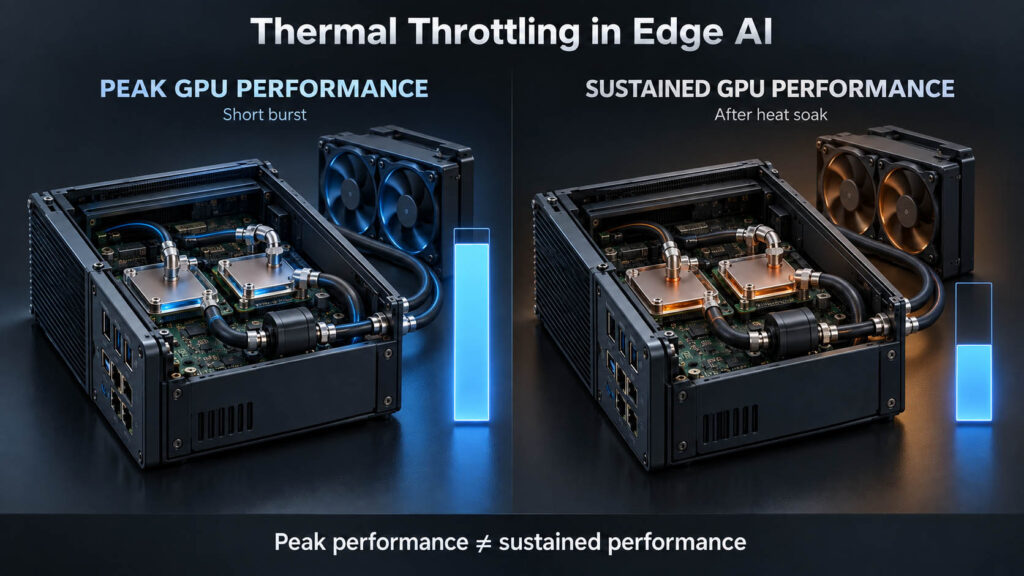
Thermal throttling reduces processor or GPU clocks or power to stay inside temperature limits. The computer can remain online while inference throughput falls, latency rises or frames are dropped.
A GPU specification describes silicon. It does not describe the enclosure, deployment ambient or eight hours of continuous inference. Sustained application performance combines GPU capability, power delivery, cooling capacity, ambient temperature, enclosure design and workload duty cycle.

What is thermal throttling?
The sequence is mechanical: workload raises CPU/GPU power, heat generation rises, the cooling system approaches its limit and a control threshold reduces clock, voltage or power. Heat generation falls, but application performance may fall with it.

NVIDIA documents software thermal slowdown and hardware thermal slowdown as clock-control mechanisms. On Jetson Orin, thermal sensing, active fan control, software throttling, hardware slowdown and shutdown form one connected protection system. nvidia-smi and NVML clock-event reasons help identify which mechanism is active.
Peak GPU performance and sustained performance answer different questions
| Peak performance question | Sustained performance question |
|---|---|
| How fast can it run? | How fast can it keep running? |
| Maximum boost clock? | Stable clock after thermal equilibrium? |
| 1–5 minute benchmark? | Hours of representative workload? |
| Room-temperature lab? | Worst expected deployment ambient? |
| GPU-only test? | CPU + GPU + camera + storage + network? |
| Component result? | Complete-system result? |
For 24/7 Edge AI, sustained behavior usually matters more than the first few minutes of benchmark performance.
Why Edge AI workloads expose thermal problems differently
Continuous multi-camera inference, object detection, segmentation, OCR, local LLM inference, simultaneous decode and recording repeat the same pipeline indefinitely. Edge AI is often a duty-cycle problem, not merely a benchmark problem.

What recent deployments reveal
A thermal issue may first look like an application issue
Engineering-community discussions around sealed vehicle camera systems report dropped frames under sustained inference in hot environments—not always a clean thermal fault. Treat these reports as field signals, not formal benchmarks. Correlate timestamps, GPU temperature, clocks, power and application FPS before drawing a conclusion.
Test method changes the diagnosis
Platform, power mode, cooling assembly and workload must be controlled. A module tested on a reference development kit can behave differently inside the final enclosure. Ambient also changes thermal margin, so a room-temperature result cannot define an industrial operating limit.
Community and developer-forum discussion is used here as evidence that a class of problem exists, not as an industrial benchmark. Official platform documentation defines mechanisms and terminology.
Thermal throttling is not the same as power limiting
A GPU may run below expected clock because of a software power cap, hardware power brake, board limit, application clock, reliability policy, power-delivery constraint or a workload that does not fully use the GPU. Do not diagnose every clock drop as thermal throttling.

Ambient temperature and enclosure design define the cooling margin
A cooling system with headroom at 25°C can have far less margin at 40–50°C. Agricultural machinery, roadside cabinets, autonomous vehicles, enclosed robots, maritime equipment and outdoor vision commonly operate far above lab ambient. No AE-960EBT operating-temperature range is assumed here before DVT.

A well-designed heatsink or cold plate cannot compensate for blocked airflow, contaminated intake, a poorly placed radiator, inadequate flow or incorrect thermal-interface contact.
Why multi-camera throttling may appear as dropped frames
Longer inference time increases queue depth and latency until frames are skipped. But camera-link bandwidth, decode, CPU, memory, storage, network and pipeline configuration can create the same symptom. Use synchronized telemetry and the full multi-camera vision sizing method before blaming the GPU.
What should be logged during a sustained Edge AI test?
- Environment: ambient, enclosure internal and radiator inlet-air temperature.
- GPU: utilization, temperature, clocks, power, power limit, event reason and VRAM use.
- CPU/platform: utilization, temperature, clocks, RAM, NVMe temperature and system power.
- Application: inference FPS, frame time, end-to-end latency, dropped frames, decode FPS, queues, batch size and stream count.
- Liquid loop: coolant inlet/outlet temperature, flow rate, pump speed and radiator-air temperature.
Why a five-minute stress test is not enough
There is no universal duration. The test must reveal cold start, initial boost, component heating, chassis or coolant heat soak, thermal equilibrium and stable application performance.

How to tell whether the system is actually throttling
| Observation | Possible interpretation | What to check |
|---|---|---|
| Temperature rises, clock falls | Thermal limiting possible | Thermal event reason |
| Clock falls at stable temperature | Power, board or workload limit possible | Power limit and utilization |
| FPS falls but GPU clock is stable | Bottleneck may be elsewhere | CPU, decode, storage and network |
| GPU power reaches configured limit | Power capping possible | nvidia-smi and NVML |
| Dropped frames increase with temperature | Thermal correlation possible | Synchronized telemetry |
| Clock and temperature drift over weeks in a liquid loop | Loop performance may be degrading | Flow rate, pump health and coolant level |
| Temperature and FPS remain stable | Sustained state likely reached | Continue representative validation |
On liquid-cooled systems, slow degradation over weeks can point to pump wear, coolant loss or reduced flow rather than insufficient original cooling capacity.
Cooling architecture changes the sustained-performance envelope
AE-760EBT uses active chassis air cooling where clean airflow, adequate volume and fan-driven airflow through compute electronics are acceptable. AE-960EBT uses a fanless compute zone and liquid heat transport when direct local airflow is undesirable and heat can be rejected remotely.
No claim is made that AE-960EBT prevents throttling. That is a DVT result, not an assumption. Compare the complete trade-offs in Air Cooling vs Liquid Cooling for Edge AI Computers.
Liquid cooling does not automatically guarantee sustained performance
Poor cold-plate contact, incomplete VRAM/VRM paths, insufficient flow, undersized pumps or radiators, hot radiator intake air and conservative fan curves can all limit a loop. Better thermal headroom can also expose power delivery as the next bottleneck.
Pump life and coolant maintenance require project-specific verification
Pump lifetime figures must be tied to the supplier’s stated test conditions. Published electronics-cooling pumps such as selected Xylem/Laing D5 and DDC models specify expected service life above 50,000 operating hours, but rated life, expected service life and MTBF are not interchangeable. AE-960EBT pump reliability will be published only after the production pump and operating conditions are qualified.
AE-960EBT Pump expected/rated life: Pending final pump qualification.
Measure sustained performance at the application level
Machine vision needs images per second, inspection cycle time, missed frames and response timing. Video analytics needs stream count, decode FPS and event latency. Local LLM inference needs prefill throughput, decode tokens per second, latency over time and concurrency. Robotics needs perception latency, synchronization and frame deadlines.
A practical sustained-performance validation workflow

Run production-equivalent tests through the BITECH validation process. For removable GPU architecture and thermal-path considerations, see MXM vs Desktop GPU.
AE-760EBT vs AE-960EBT sustained performance remains under validation
AE-960EBT is currently under engineering validation. Exact temperature reduction, no-throttling claims, GPU TGP, IP rating, coolant-loop service life, noise and benchmark figures will not be stated until DVT confirms them.
| BITECH Lab metric | DVT result |
|---|---|
| CPU | Pending DVT verification |
| GPU | Pending DVT verification |
| GPU TGP | Pending DVT verification |
| Ambient | Pending DVT verification |
| Test duration | Pending DVT verification |
| AI workload | Pending DVT verification |
| Camera / decode load | Pending DVT verification |
| GPU temperature | Pending DVT verification |
| GPU clock — start / steady state | Pending DVT verification |
| GPU power — start / steady state | Pending DVT verification |
| Throttle reason | Pending DVT verification |
| Inference FPS — start / steady state | Pending DVT verification |
| Dropped frames | Pending DVT verification |
| Coolant inlet / outlet | Pending DVT verification |
| Coolant type / service life | Pending DVT verification |
| Pump health / MTBF rating | Pending DVT verification |
| Result | Pending DVT verification |
A synchronized time series of GPU temperature, clock, power and inference FPS will accompany verified results. That evidence is stronger than a single maximum-temperature number.
Can your Edge AI system maintain performance after the first benchmark?
Send the AI model, CPU/GPU workload, camera topology, required FPS or latency, ambient, enclosure and duty cycle. If active air cooling is sufficient, we will say so. If the deployment requires remote heat rejection, we can evaluate a liquid-cooled architecture.
Sources and community signals: mechanism terminology follows NVIDIA nvidia-smi, NVML clock-event and Jetson Orin thermal-management documentation. Developer discussions are treated as reported pain points, not formal benchmarks. Pump and coolant life figures are general industry context. Any AE-960EBT-specific result remains provisional until BITECH DVT.