
N150 vs Core i5 for Industrial PCs: Which One Fits Your Workload?
Where the Intel N150 is genuinely the right call — and the specific signals that tell you it is time to step up to a Core i5.
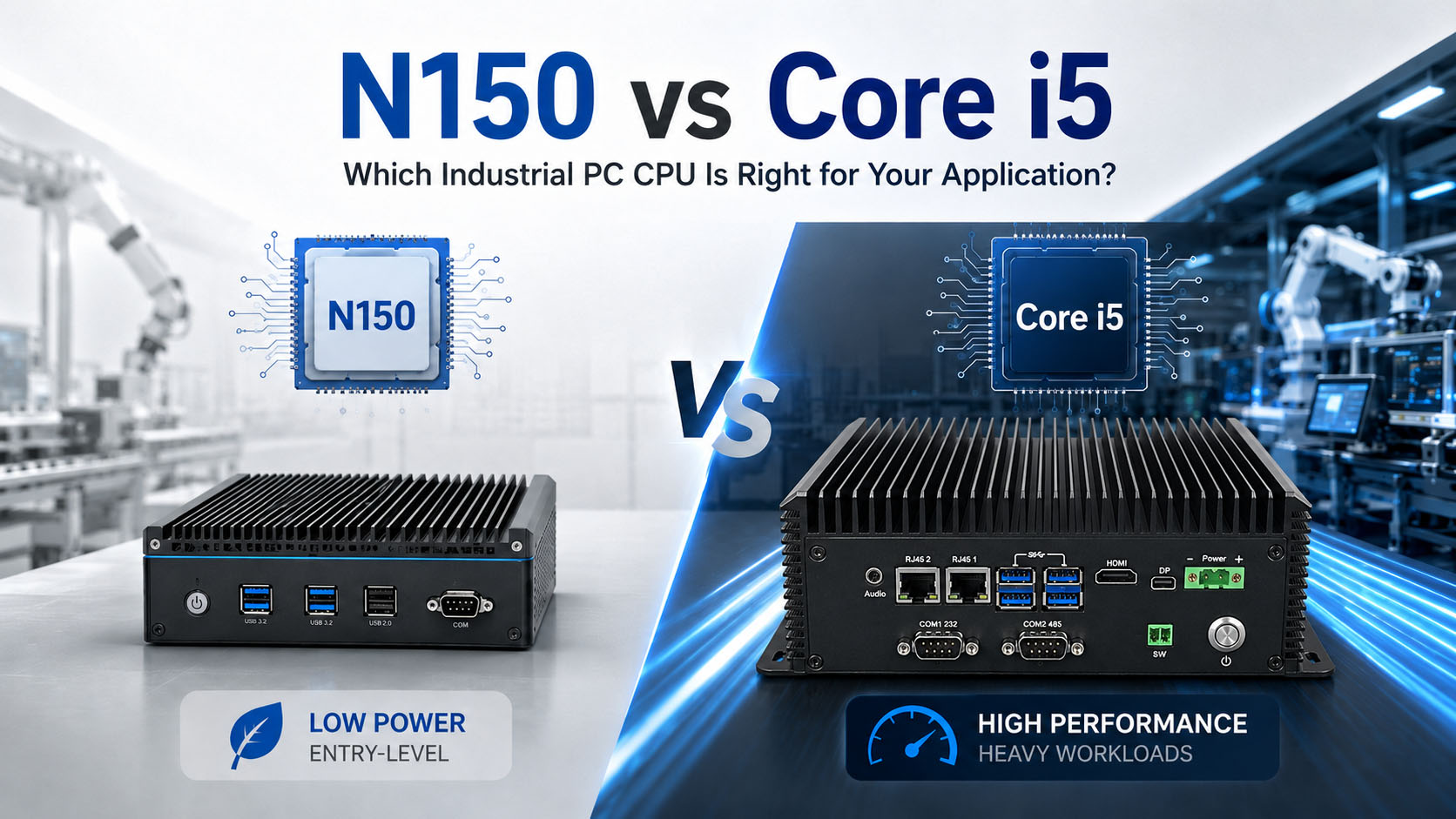
Two design philosophies, not two grades of the same thing.
Table of Contents
Intel’s N150 is everywhere right now: fanless, palm-sized, quiet, cheap, and tagged “industrial-grade.” For a lot of edge deployments that is a fair description. The recurring failure story is also consistent — someone specs an N150 to save a few dollars, the demo works, and then it hits a wall the moment real workload arrives.
This is the map spec sheets do not give you: where the N150 is genuinely the right call, and the specific signals that mean it is time to step up. Run this framework before you buy a panel PC, an edge gateway, a machine-vision box, or a 24/7 controller.
For a practical comparison, the table below uses the Core i5-1235U as a representative low-power Core i5 commonly used in compact industrial PCs. Exact specifications vary by Core i5 generation and SKU.
| Specification | Intel N150 | Core i5-1235U example | What It Means |
|---|---|---|---|
| Cores / Threads | 4 / 4 | 10 / 12 | i5 has much more concurrency headroom |
| Max Turbo | 3.6 GHz | 4.4 GHz | i5 has stronger peak CPU performance |
| Smart Cache | 6 MB | 12 MB | More cache helps heavier concurrent workloads |
| Processor Base Power | 6 W | 15 W | N150 is easier to cool passively |
| Official Max Memory | 16 GB | 64 GB | i5 offers substantially more memory headroom |
| Typical fit | HMI, gateway, kiosk, light edge | Vision, multitasking, database, heavier edge | Select by workload |
1. What the N150 and Core i5 actually are
They are not two grades of the same thing. They are two design philosophies, and understanding that up front prevents most bad decisions.
Intel Processor N150
Twin Lake, launched Q1 2025. An entry-level ultra-low-power SoC: 4 cores / 4 threads, all efficiency (Gracemont) cores, no Hyper-Threading, up to 3.6 GHz, small cache, 24-EU graphics, typical draw around 6 W. In raw compute it lands near an older Core i3, and only a few percent above the N100. It exists for cost, thermals, and good-enough compute on always-on lightweight tasks.
Intel Core i5
A different class of chip. Modern i5s use a hybrid architecture — performance cores plus efficiency cores — with Hyper-Threading on the P-cores, substantially more cache, and much higher single- and multi-core throughput. Higher power (often active cooling), but built for sustained load and real multitasking.
The takeaway is not “the i5 is better.” It is that these chips are aimed at different jobs. The only question that matters is which one matches your workload.
2. Where the N150 genuinely is enough
Credit where it is due. For a large share of industrial edge deployments the N150 is the smarter buy — fanless reliability and low power without paying for compute you will never use. It fits when the workload is single-threaded, bursty, and mostly idle:
Digital signage & kiosks
Driving one or two displays with static or looping content.
HMI / operator panels
A single interface talking to a PLC.
Thin clients
The real work happens on a server; the endpoint just renders.
Light IoT & protocol gateways
Collecting from a modest number of sensors, forwarding upstream.
Single-stream acquisition
One line, one machine, moderate sample rates.
Basic edge nodes
Logging, buffering, simple filtering.
In this territory an N150 panel PC or fanless box will run reliably for years, and stepping up to an i5 mostly buys you heat and a bigger bill. The problems start when the workload quietly grows past this envelope — which it almost always does.
3. Signals that the N150 is not enough
The pattern shows up again and again: the N150 handles the baseline task fine, then falls over the moment a second demanding job runs alongside it. It is rarely a clean “too slow” — it is a tipping point.
You’re running machine vision or edge AI
Multiple camera streams, real-time image processing, or on-device inference saturate four threads fast. This is the single most common place the N150 runs out of room. If the box has to look at things and decide, size up.
You’re doing real concurrent multitasking
Acquisition + local visualization + a database write is three demanding jobs fighting over four threads with no Hyper-Threading to smooth it out. The one-task demo looked great; production with all three does not.
You need virtualization or containers
Some vendors selling N150 firewall/router boxes explicitly recommend against Proxmox or ESXi on them. When the people selling the hardware tell you not to virtualize on it, believe them.
Database-backed MES/WMS with real concurrency
These boxes are marketed for MES/WMS and will run a light instance — but concurrent queries under real shop-floor load expose the thin cache and low core count quickly.
The box runs flat-out, 24/7
The N150 is tuned for bursty, mostly-idle duty. Pinned at 100% continuously, performance settles to a floor, not a peak — inside a passive thermal envelope not built for sustained max load.
The “works until you turn on the good features” trap
An N150 handles basic firewall throughput, then buckles once IDS/IPS, VPN tunnels, and traffic shaping are enabled. The industrial version is identical: add one layer of encryption or real-time analytics and it tips over. Spec for the roadmap, not the demo.
Hitting one of these signals? If your workload includes vision, virtualization, or real concurrency, an N150 will bottleneck it. See our Core i5 fanless industrial box PCs for the headroom these jobs need.
4. Why it runs out of headroom: bottlenecks not on the spec sheet
Buyers fixate on cores and clock speed. In real deployments, the walls people actually hit are usually somewhere else.
Single-channel memory — the number-one real-world bottleneck
Most N150 systems ship with a single memory channel (often one SODIMM, sometimes soldered), roughly halving memory bandwidth and starving CPU and iGPU on data-heavy work. Many designs offer no upgrade path at all.
No Hyper-Threading
Four cores means exactly four threads. The moment more than four things compete for CPU time — which any multi-service edge box does — jobs queue behind each other.
Scarce PCIe lanes
Multiple NICs, several NVMe drives, or an expansion card run into the platform’s lane budget long before the CPU clock becomes the limit.
Small cache
Compared with a Core i5’s substantially larger L2/L3, the modest cache hurts exactly where industrial workloads live: concurrent access and data-heavy processing.
Burst behaviour vs sustained load
Designed to sprint briefly and idle. In a fanless enclosure, real power and thermals — PSU efficiency, VRM losses, ambient temperature — matter more than nameplate TDP suggests.
5. The trap: “the N150 is an N100 with a higher number”
Worth saying plainly, because it shapes expectations: the N150 is only a few percent faster than the N100 — essentially the same silicon with a small clock bump. A bigger model number does not mean a meaningfully bigger jump in capability.
If an N100 already could not do the job, an N150 will not rescue it — you need to change class, not creep up one number. The honest framing is not “N100 vs N150 vs N200.” It is “N-class vs Core-class,” and that is the decision that changes outcomes.
6. Don’t forget the middle: it is not a binary choice
“N150 or i5” is a false dichotomy. There is a useful ladder in between, and the right answer is often a rung, not a leap:
Core 3 N355 / Core i3-N305
Still N-class efficiency, but up to 8 cores — meaningfully more multi-threaded headroom for light virtualization and heavier concurrency, while staying low-power and often fanless.
Core i3
A genuine step into Core-class performance and Hyper-Threading without full i5 cost and heat.
Core Ultra
When edge AI / inference is central and you want dedicated acceleration.
If your workload is a little past the N150 but nowhere near needing a full i5, one of these gives you headroom without the thermal and cost penalty. A good vendor helps you find the right rung instead of pushing you to either extreme.
7. Match your workload to the right platform
| If your deployment is… | Recommended tier | Explore |
|---|---|---|
| Signage, kiosk, HMI, thin client, single-stream edge | N-class (N150 / N355) | Entry & mid-tier fanless PCs |
| Light virtualization, heavier concurrency, more cores | Core i3 / N355 | Mid-tier industrial systems |
| Vision, edge AI, virtualization, database load, 24/7 sustained | Core i5 and up | Core i5 industrial PCs |
| Dedicated on-device AI / inference | Core Ultra / dedicated NPU | AI edge systems |
Not sure which row is yours? Talk to our engineers — we will size it against your actual workload.
8. Why “just buy a used i5” is the wrong answer here
In consumer forums there is a popular retort: skip the new N150 and grab a used i5 mini PC for similar money and more performance. For a hobbyist, that math can work. For an industrial deployment it is exactly backwards:
Long-term supply and lifecycle
A used unit has no guaranteed availability. When you need ten more next year, “I found one on eBay” is not a supply chain.
Environmental spec
Wide operating temperature, shock/vibration tolerance, and sealed fanless design are the point of industrial hardware.
Certification and compliance
FCC/CE/UKCA and industry-specific certifications are not optional in regulated deployments.
Consistency and validation
A validated platform behaves the same across every unit in the fleet. Mixed used hardware is a support and imaging nightmare.
Warranty and accountability
When a node fails at 2 a.m. on a production line, you need a vendor on the hook — not a marketplace seller.
A used i5 can be faster and cheaper on a bench. In production, the price of the chip is a rounding error next to the cost of a box that is not rated, not available, and not supported.
Related, less obvious risk — ecosystem maturity. Because the N150 is newer silicon, some users have hit driver and kernel gaps, with hardware transcoding and acceleration working only after manually updating to a newer kernel. Industrial systems often run locked, long-lived OS images, so “new silicon that needs a bleeding-edge kernel” can be a liability.
Related reading: Industrial PC vs Mini PC: What Are You Actually Paying For?
9. A decision checklist
Run your deployment through these. If you check more than one or two, the N150 is likely under-spec and you should look at a Core i3/i5 — or a middle-tier N355.
| Workload | Intel N150 | Core i5 |
|---|---|---|
| HMI / simple PLC interface | ✓ | Overkill |
| Digital signage / kiosk | ✓ | Usually unnecessary |
| IoT gateway | ✓ | Depends on services |
| Basic data logging | ✓ | Usually unnecessary |
| Multiple concurrent applications | Limited | ✓ |
| MES/WMS + local database | Light use | ✓ |
| Several containers / VMs | Limited | ✓ |
| Machine vision | Light workload | ✓ |
| Multi-camera AI inference | Not preferred | ✓ / GPU platform |
| 24/7 high CPU utilization | Validate carefully | More headroom |
| Lowest power / easiest fanless design | ✓ | Depends on SKU/design |
- More than a handful of demanding tasks running concurrently
- Machine vision, video analytics, or on-device AI anywhere in the pipeline
- Virtualization or multiple containers in the plan
- Database-backed MES/WMS with real concurrent load
- The box will run at high utilization 24/7, not bursty/idle
- Expansion needs: multiple NICs, several NVMe drives, add-in cards
- A feature roadmap that adds encryption, analytics, or services over time
- Deployment in a demanding thermal environment under sustained load
- A need for memory headroom and a real upgrade path
The N150 is a fine answer to a single, light, mostly-idle job. The more of the above you check, the more you are asking it to be something it is not.
10. The real cost math
Under-speccing is common because the comparison people run is chip price vs chip price — and there the N150 always wins. That is the wrong comparison.
The right one is total cost over the deployment’s life, including the cost of being wrong: field visits to diagnose a box that chokes under load, workarounds, unplanned downtime on a production line, and — the expensive one — re-specifying and re-deploying an entire fleet a year in. In industrial settings, a single hour of unplanned downtime routinely dwarfs the whole price difference between an N150 and an i5 system.
Buying an N150 that is a touch too small does not save money. It defers a larger, worse-timed bill.
Size it against your workload
N150, N355, i3 or i5 — send us the workload, not a guess
The right CPU tier is the one that leaves headroom for the job you'll actually run. Tell us the deployment and BITECH engineering recommends the tier — and won't sell you an i5 when an N150 is genuinely enough, or an N150 when it will bottleneck you.
Send us the workload
- What runs on the box (vision, DB, VMs, HMI…)
- Concurrent tasks & number of camera streams
- 24/7 sustained or bursty / mostly-idle
- Memory, storage & expansion (NICs, NVMe)
- Environment: ambient temp, fanless, enclosure
- Lifecycle & certification requirements
We come back with
- The right CPU tier — N150 / N355 / i3 / i5 / Ultra
- Why, tied to your bottleneck (not a spec sheet)
- The closest BITECH platform
- Memory, I/O & thermal assumptions
- A straight answer when N150 is genuinely enough
Field-tested tiering · certification & wide-temp options · 10-year platform availability · 24-month warranty
N150 vs Core i5 · Platform Selection
Frequently asked questions
-
For lightweight, single-threaded, mostly-idle workloads — digital signage, kiosks, HMI panels, thin clients, light IoT gateways, and single-stream data acquisition — the N150 is a strong, cost-effective, fanless choice. It becomes under-spec once you add real concurrency, machine vision, virtualization, database load, or sustained 24/7 utilization.
-
The N150 is an entry-level, ultra-low-power SoC with 4 efficiency cores, 4 threads (no Hyper-Threading) and a small cache — built for cost, low power and fanless operation. A modern Core i5 uses a hybrid performance-plus-efficiency design with Hyper-Threading, far more cache, and much higher sustained throughput. They target different jobs, not different grades of the same job.
-
Yes, but capacity is limited. The N150 has 4 cores and 4 threads, so lightweight containers or a small number of low-load VMs can be practical. The limitation appears when several services compete for CPU time, memory and storage I/O simultaneously. For multi-VM deployments or heavier container stacks, a Core i3/i5-class platform usually provides more headroom.
-
Only marginally — roughly a few percent, essentially the same silicon with a small clock bump. If an N100 cannot handle a workload, an N150 will not rescue it; you need to move up a class, not up one model number.
-
The N150 can handle lightweight classical vision and some low-rate CPU-based inference workloads, depending on image resolution, model size and required FPS. The limitation appears when multiple camera streams, heavier preprocessing or real-time AI inference have to run concurrently. For those workloads, a Core i5, NPU or discrete GPU platform usually provides more practical headroom.
-
Step up when your deployment involves real concurrent multitasking, machine vision or edge AI, virtualization or containers, a database-backed MES/WMS under real load, sustained 24/7 high utilization, significant expansion (multiple NICs or NVMe drives), or a feature roadmap that grows over time.
-
A used consumer i5 may be faster and cheaper on a bench, but it lacks guaranteed long-term supply, wide operating-temperature and shock/vibration ratings, FCC/CE/UKCA certifications, fleet-wide validation, and a real warranty. In production, the chip price is a rounding error next to the cost of a box that is not rated, available, or supported.
-
Single-channel memory. Many N150 systems ship with a single memory channel — often one soldered module — which roughly halves memory bandwidth and frequently offers no upgrade path. On data-heavy workloads this is usually the first wall you hit, even when the CPU spec looks adequate.
Related products & guides
Find the tier that fits your workload
The decision isn't binary — there's a ladder from N-class to Core-class. Match the deployment to a platform, and read the guides that make the call clearer.