• Home /
  • Industrial Touch Panel PCs

Industrial Touch Panel PCs & Rugged HMI Solutions

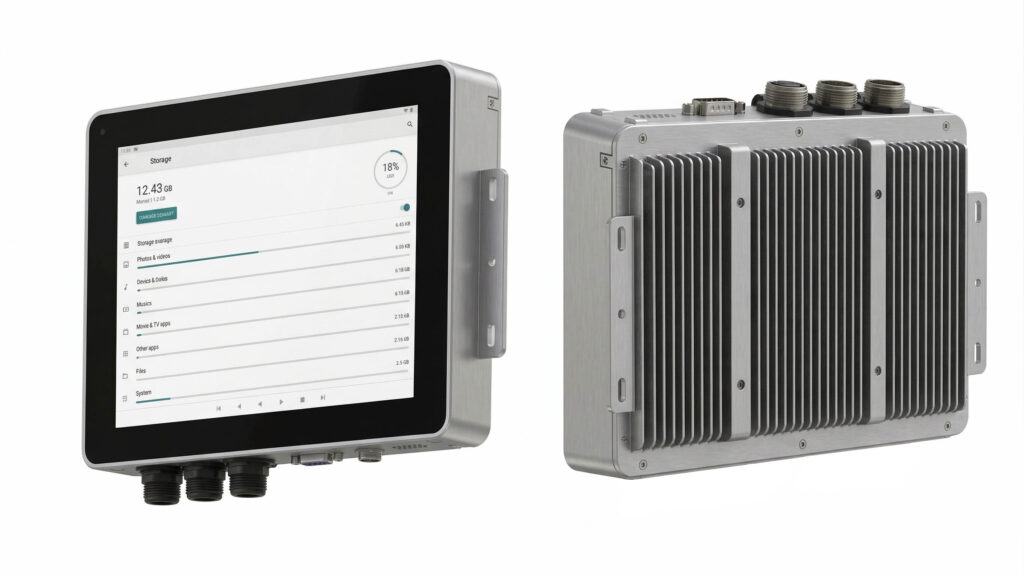
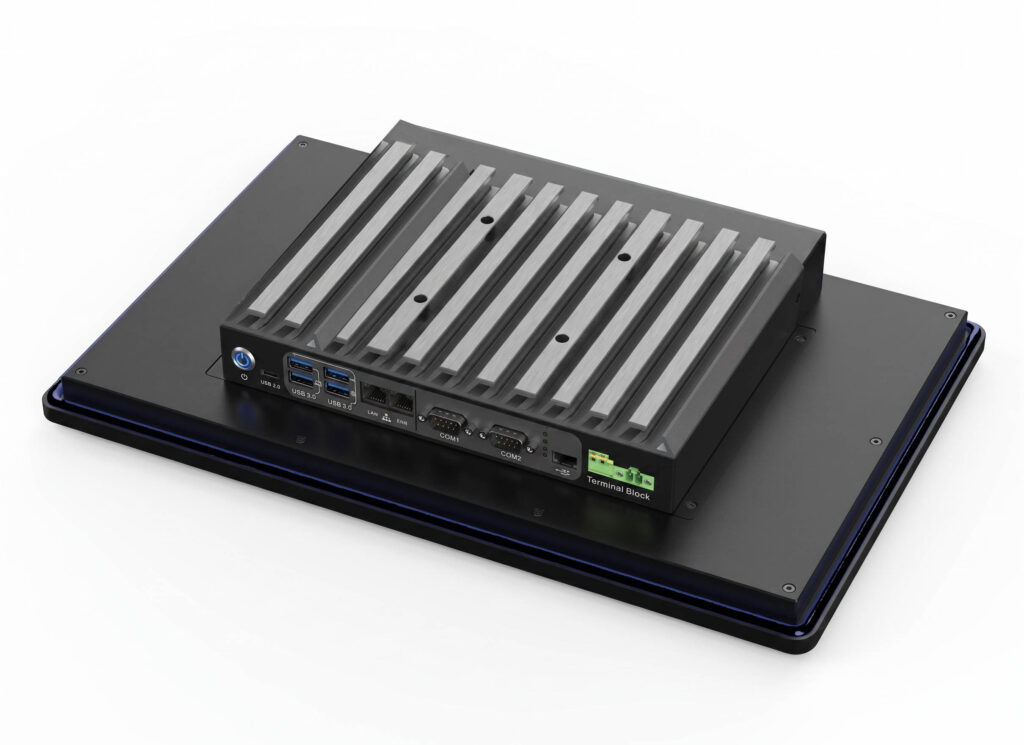
Operator-facing industrial HMI systems featuring fanless thermal design, 4000V electrical isolation options, and wide temperature support (-20°C to 70°C) for panel-mounted machine-level deployment.

Touch Panel PCs are purpose-built HMI terminals designed for installation on machines, control panels, or operator stations. Unlike general-purpose computers, these systems combine ruggedized displays with embedded computing in a single enclosure optimized for industrial environments. Different platforms—x86, ARM, and AI-ready—serve distinct system roles, so selection should begin with platform and operating system requirements rather than display size alone.

Industrial HMI Platform Selection: x86, ARM, and AI-Ready Architectures

Platform TypeTypical CPU / SoCOperating SystemAI CapabilityTypical Use CaseSuitable For
x86 Touch Panel PCIntel® x86Windows / UbuntuNoneTraditional industrial HMILegacy software, Windows-based systems
ARM Touch Panel PCRK3568Android / LinuxBasicEmbedded HMI, low powerCost-sensitive, embedded UI
AI-Ready Touch Panel PCRK3576 / RK3588Android / LinuxOn-device NPUIntelligent HMI, vision-assisted UIAI-assisted operation, unattended systems

Platform selection should be based on OS, software stack, and system role rather than raw performance.


x86 Industrial Panel PCs: High-Performance Windows-Compatible HMI

Powered by Intel® Core™ processors, these platforms offer seamless Windows/Ubuntu ecosystem compatibility, robust driver toolchains, and expansive I/O scalability for traditional factory automation. 
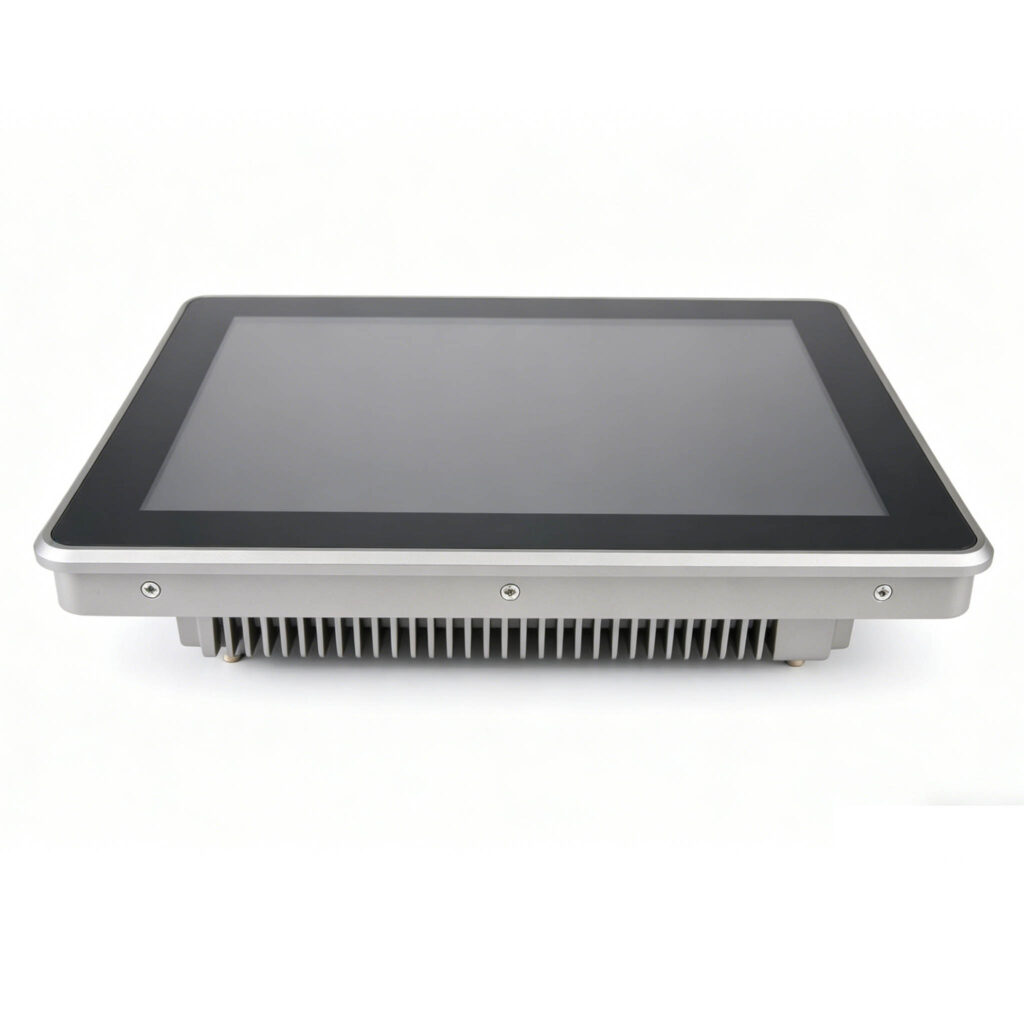
ap-aw1g-10-inch-resistive-touch-panel-pc

AP-AW1G (Multi-Touch Projected Capacitive HMI)

Capacitive Touch
  • 10.1″ 1280×800 IPS, 400 nits
  • 10-point PCAP touch, 6H hardness
  • Intel® Core™ i3/i5/i7 (6th–13th Gen)
  • 2× GbE, USB 3.0, COM, HDMI 2.1
  • IP65 front, fanless, 9–36V DC
View Product
ap-aw1s-industrial-panel-pc

AP-AW1S (5-Wire Heavy-Duty Resistive Touch HMI)

Resistive Touch
  • 10.4″ 1280×800 IPS, 400 nits
  • 5-wire resistive touch, glove-compatible
  • Intel® Core™ i3/i5/i7 (6th–13th Gen)
  • 2× GbE, USB 3.0, COM, HDMI 2.1
  • IP65 front, fanless, 9–36V DC
View Product


ARM Embedded Panel PCs: Low-Power Linux/Android HMI Terminals

ARM-based touch panel PCs run Android or Linux embedded platforms with fanless, low-power operation and fast boot times. Ideal for cost-sensitive deployments and embedded HMI applications where Windows compatibility is not required.
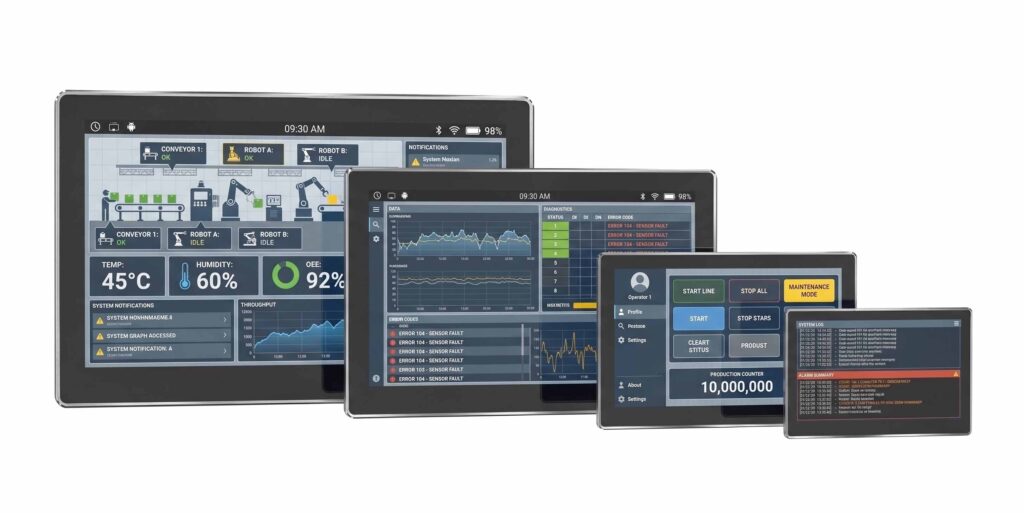
AP-AR1DS01 RK3568 Industrial Panel PC


AP-AR1DS01 (1.0 TOPS NPU Cost-Effective HMI)

RK35681.0 TOPS NPU
  • 10.1″ 1280×800 IPS, capacitive touch
  • Rockchip RK3568, quad-core A55
  • 2× GbE, USB 3.0, RS232/RS485
  • Android 12 / Linux (Debian/Ubuntu)
  • Fanless, IP65 front, 12–24V DC
View Product


AI-Ready Industrial Panel PCs: Next-Gen Intelligent Vision HMI

ARM platforms with integrated NPU for on-device inference and intelligent HMI applications. These systems are designed for local AI tasks such as vision-assisted operation and predictive interfaces—not centralized edge AI computing.
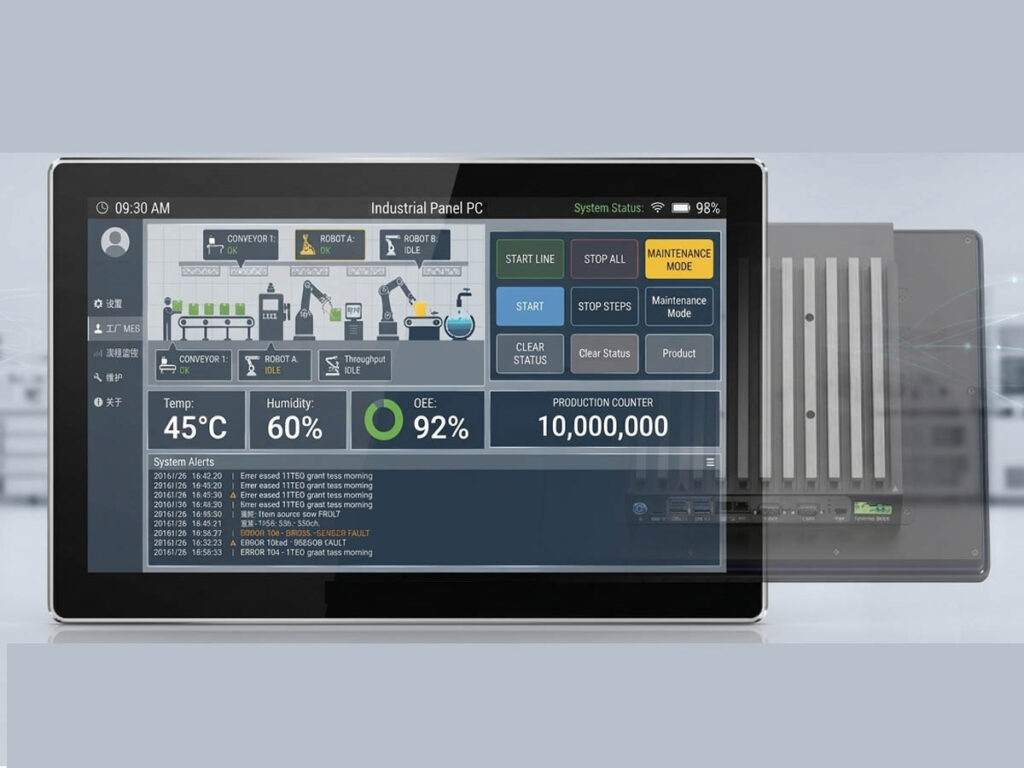
AP-AR1DS02 4.0 TOPS RK3576 Edge AI Industrial Panel PC


AP-AR1DS02 Rockchip Platform

RK3576(4.0 TOPS Vision-Assisted UI System)
  • 10.1″ 1280×800 IPS, capacitive touch
  • Rockchip RK3576, 6 TOPS NPU
  • 2× GbE, USB 3.0, RS232/RS485
  • Android 14 / Linux, on-device AI
  • Fanless, IP65 front, 12–24V DC
View Product

edge AI panel pcs manufacturer Bitech


AP-AR1DS03 Rockchip Platform

RK3588(6.0 TOPS Advanced Edge Inference HMI)
  • 10.1″ 1280×800 IPS, capacitive touch
  • Rockchip RK3588, 8-core, 6 TOPS NPU
  • 2× GbE, USB 3.0, HDMI, RS232/RS485
  • Android 14 / Linux, advanced AI inference
  • Fanless, IP65 front, 12–36V DC
View Product

Industrial-Grade Display Specs & Customized Touch Screen Technologies

All touch panel PC platforms support multiple display sizes to match viewing distance and mounting requirements. Available sizes include 12.1″, 15.6″, 17.3″, and 21.5″ depending on the selected platform.

Touch Technologies

Capacitive (PCAP)ResistiveInfraredSAWOpticalNano-film

Touch technology selection depends on operating environment, input method (bare hand, gloved, stylus), and durability requirements. Contact engineering for project-specific recommendations.

Technical HMI Selection Guide: 4-Step Project Configuration

  1. 1Choose platform and OS first — Windows for legacy software, Android/Linux for embedded applications
  2. 2Then select display size — based on viewing distance and HMI layout requirements
  3. 3Then confirm touch technology — based on operating environment and input method
  4. 4Finalize CPU and configuration — during project discussion with engineering

Explore Complementary BITECH Industrial Computing Categories


Industrial Box PCs

Rugged, headless embedded controllers engineered for 24/7 backend factory automation, multi-axis motion control, and heavy-duty industrial gateways. Features BITECH’s exclusive modular mainboard architecture (AX-130BT & AX-134BT series), supporting flexible I/O scalability with up to 4× GbE LAN, isolated COM ports, and Dual CAN Bus interfaces strictly adhering to the 60Ω impedance rule for superior fieldbus signal integrity.


Edge AI Industrial Computers

High-efficiency neural-network computing blocks optimized for real-time machine vision alignment, defect detection workloads, and AGV/AMR navigational sorting. Powered by premium ARM embedded platforms including the full-spec octa-core Rockchip RK3588J (AE-3588BT series), delivering a stable 32 TOPS of hardware NPU acceleration inside fanless, wide-temperature enclosures deployment ready.

Need Help Selecting the Right Platform?

Our application engineers can help you evaluate platform requirements, display size for viewing distance, touch technology suitability, and OEM customization options.

Talk to an Engineer

Frequently Asked Questions: Technical HMI Selection & Specifications

What are the primary factors when choosing between an x86 and an ARM-based industrial panel PC?
The choice depends completely on your software stack and processing ceiling. **x86 platforms (Intel)** provide full Windows compatibility, robust driver ecosystems, and heavy x86-64 processing power required for legacy SCADA or multi-threaded master control applications. **ARM platforms (Rockchip)** run optimized Android or embedded Linux. They excel in single-purpose HMI applications where ultra-low power consumption (<15W full load), fanless architectures, fast cold-boot times, and cost efficiency are prioritized over raw processing headroom.
Can an ARM-based panel PC natively run traditional Windows-based HMI software?
No, traditional Windows HMI frameworks require an x86 architecture. Running them on ARM architecture requires software emulation layers, which introduce severe performance degradation and potential runtime instability. If your system relies on legacy .NET applications, standard Windows SCADA suites, or proprietary x86 software runtimes, you should select an **x86 platform like the BITECH AP-1010BT Core series** to ensure zero-latency operation and native driver support.
What specific advantages does the Rockchip RK3588 octa-core processor bring to an HMI terminal compared to standard ARM SoCs?
The premium octa-core **Rockchip RK3588 / RK3588J platform** breaks through traditional ARM computing boundaries. It provides up to 4K/8K hardware video rendering capabilities, complex multi-window UI fluidities, and integrated hardware network routing block extensions. Most importantly, it embeds an internal neural-network acceleration layout, capable of executing advanced operations like local machine vision processing or real-time predictive data generation without bogging down the main system logic.
How does an integrated NPU enhance a touch panel PC, and what are its typical on-device use cases?
An integrated Neural Processing Unit (NPU) offloads deep learning calculations from the main CPU blocks, handling complex vision or sequence math with raw structural efficiency. In a touch panel setup, typical on-device use cases include vision-assisted user recognition for secure login clearances, operator safety proximity monitoring, zero-touch gesture-driven menu layouts, and predictive local error alerting based on processing sensor patterns.
What is the difference between an AI-Ready touch panel PC and a dedicated edge AI computing station?
It comes down to architectural placement. An **AI-Ready touch panel PC** embeds micro-NPUs (such as 4.0 or 6.0 TOPS hardware accelerators) inside an operator screen enclosure, optimizing it for interactive interface processing and localized machine vision support. A **dedicated edge AI station** (like BITECH's multi-channel embedded computer lines) is built without a screen, utilizing high-TDP processors and discrete accelerators to crunch heavy back-end data arrays, manage multiple raw IP video streams, or run complex central network orchestration routines.
How do I choose between Projected Capacitive (PCAP) and 5-wire resistive touch screens for a harsh factory environment?
Base your decision on input methods and chemical exposure. **Projected Capacitive (PCAP)** is superior for standard multi-touch scrolling layouts, modern user interfaces, and systems exposed to scratches—built with robust 6H hardness tempered glass. However, if your operators wear thick, specialized safety gloves, or if the panel is directly subjected to heavy oil splashes, flying debris, or water pooling, a heavy-duty **5-wire resistive screen** remains the industry standard because it relies on physical pressure instead of surface electrical capacitance to register inputs cleanly.
What is the difference between a standard front bezel and an IP65-rated true-flat front enclosure for industrial deployment?
Standard bezels feature a small structural lip where the screen outer shell transitions to the screen frame, which naturally traps dust, grime, and grease collections. An **IP65 true-flat front enclosure** removes this completely. The front surface is a continuous, seamless pane of glass or hard polymer. This design eliminates ingress points, allowing the front section to completely block low-pressure water sprays, dust accumulation, and chemical cleanings in demanding sanitary or washdown-heavy facilities.
Why is a wide-voltage DC input (such as 9V–36V) critical for machine-level control panel installations?
Factory electrical grids experience regular instability. When heavy conveyor loops, high-torque industrial motors, or multi-axis welding arcs fire up, cabinet voltages drop temporarily. A strict 12V or 24V linear controller will suffer brownouts, forcing system micro-reboots. A heavy-duty **9V–36V wide-voltage regulatory layout** absorbs these dynamic in-cabinet drops and surges, keeping the touch terminal entirely operational during massive machine state shifts.
How do isolated COM (RS232/RS485) and isolated CAN Bus ports protect an industrial panel PC from ground loops?
When industrial peripherals run across different power nodes on a long factory floor, substantial voltage discrepancies develop between their ground connections. This variation generates ground loop currents that can melt standard signal logic circuits. By using **galvanic isolation protection up to 4000V**, BITECH separates the physical communications hardware from the core motherboard layout. This air-gap block safely handles high-voltage field line surges and heavy EMI spikes, keeping your core system running.
What are the standard mounting methods for industrial touch panels, and does BITECH support custom bezel branding?
BITECH hardware comes equipped to support standard **Panel Mount integration** utilizing low-profile in-wall compression clamp clips, as well as external **VESA 75/100 mounting arrays** for standard articulation mechanical arms. For complete OEM/ODM platform deployments, we provide full structural front panel configuration services—including custom client logo applications, specialized custom colors matching your machinery chassis, and tailored physical function buttons integrated right into the front aluminum bezel assembly.
Scroll to Top
POPUP Form

Contact Us